Chroma Forge
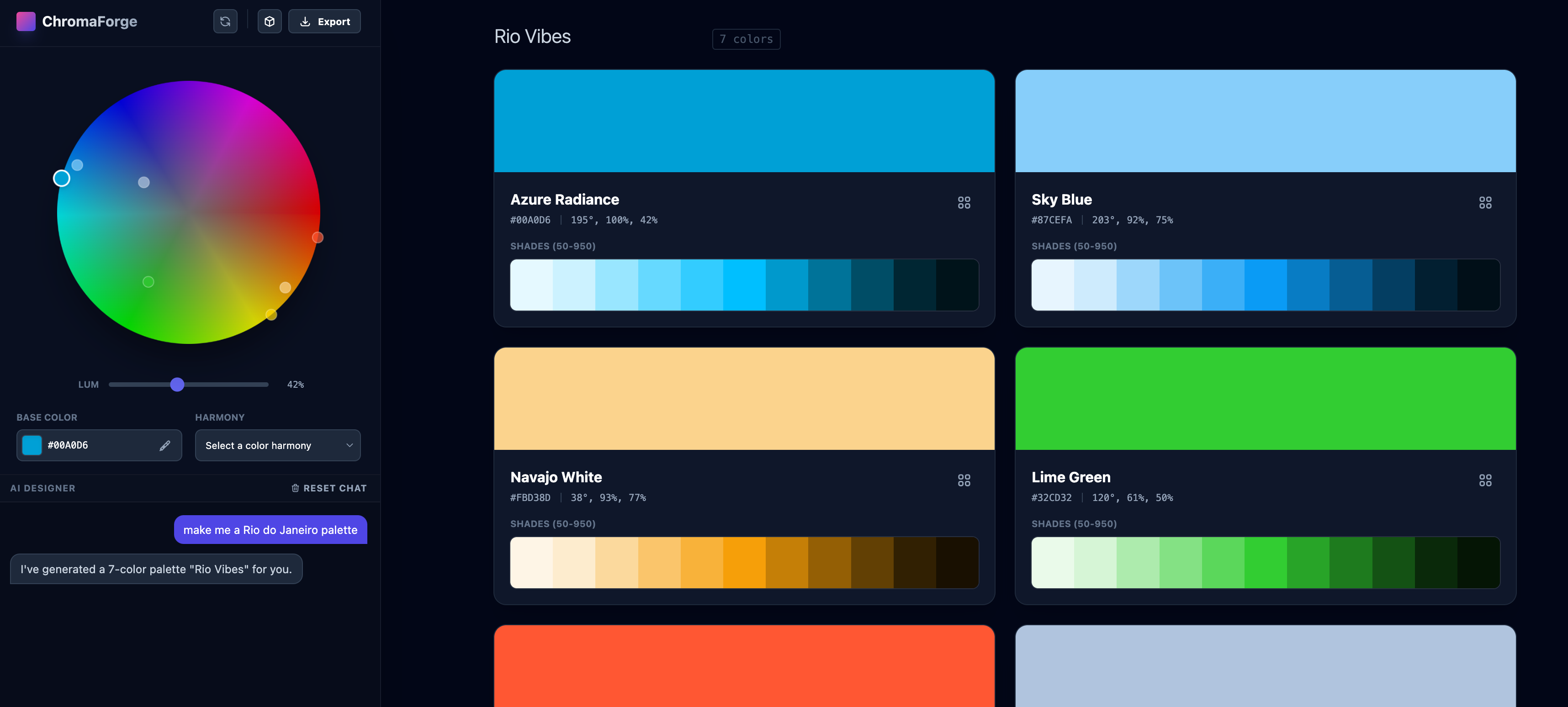
AI first. A palette starts as a sentence — a city, a season, a film, a product — and comes back named, with a shade scale ready to use.
Timeline
2 weeks
My Role
Design & Development
Team
Solo project
Tools
AI palette
Background
Color tokens still have to be named, scaled, and tried in an interface before they are ready. Chroma Forge puts the description first, then builds the rest of that system around it.
Problem
A palette is more than a handful of swatches. Each color needs a name, a scale, and a place among the brand, the neutrals, and the interface.
Goal
Open with a prompt. From that description, shape the scales, the semantic colors, the gradients, and a small set of components — then export the palette.
The prompt comes first
The home screen asks for a description. The line under it is “The limit is your imagination.”
AI first
A city, a season, a film, or a product is enough to start. Three demos — Harbor, Orchard, and Ink — open a finished palette without a prompt. A file can start one too.
Named scales
Each color arrives with a name, a hex, and HSL, plus a scale from 50 to 950. Sliders set the number of shades, vibrancy, contrast, and hue blend. A color can be refined by lightness, chroma, and hue.
Brand, neutrals, semantic
The brand colors sit beside neutrals and semantic roles — success, warning, error, info. A components view tries them on buttons, inputs, and a small set of controls, in light or dark.
Gradients and export
Gradients mix the palette and copy as CSS. The palette itself exports as markdown.
From the live app
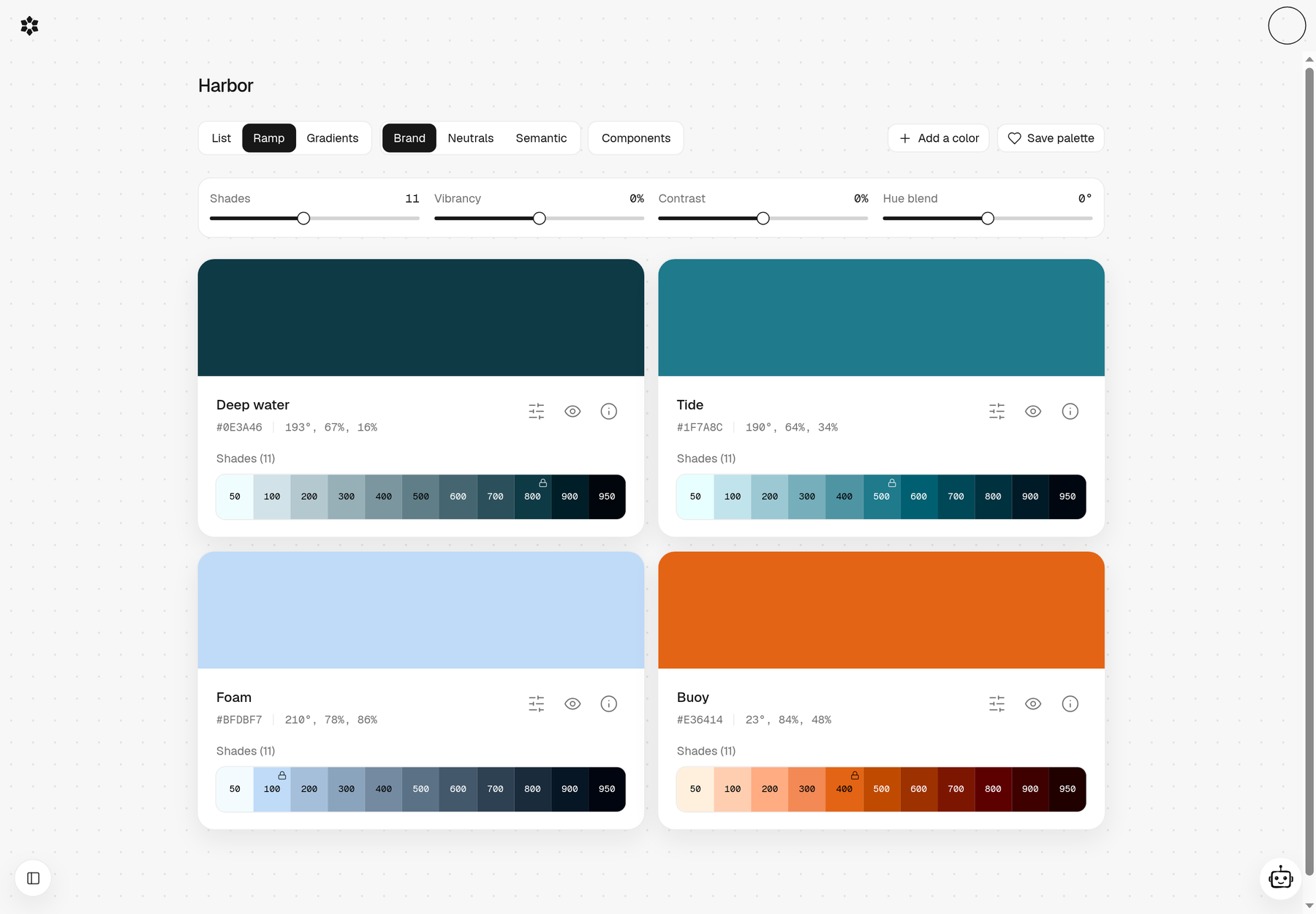
Harbor, as a ramp
Deep water, Tide, Foam, and Buoy, each with hex, HSL, and a scale from 50 to 950
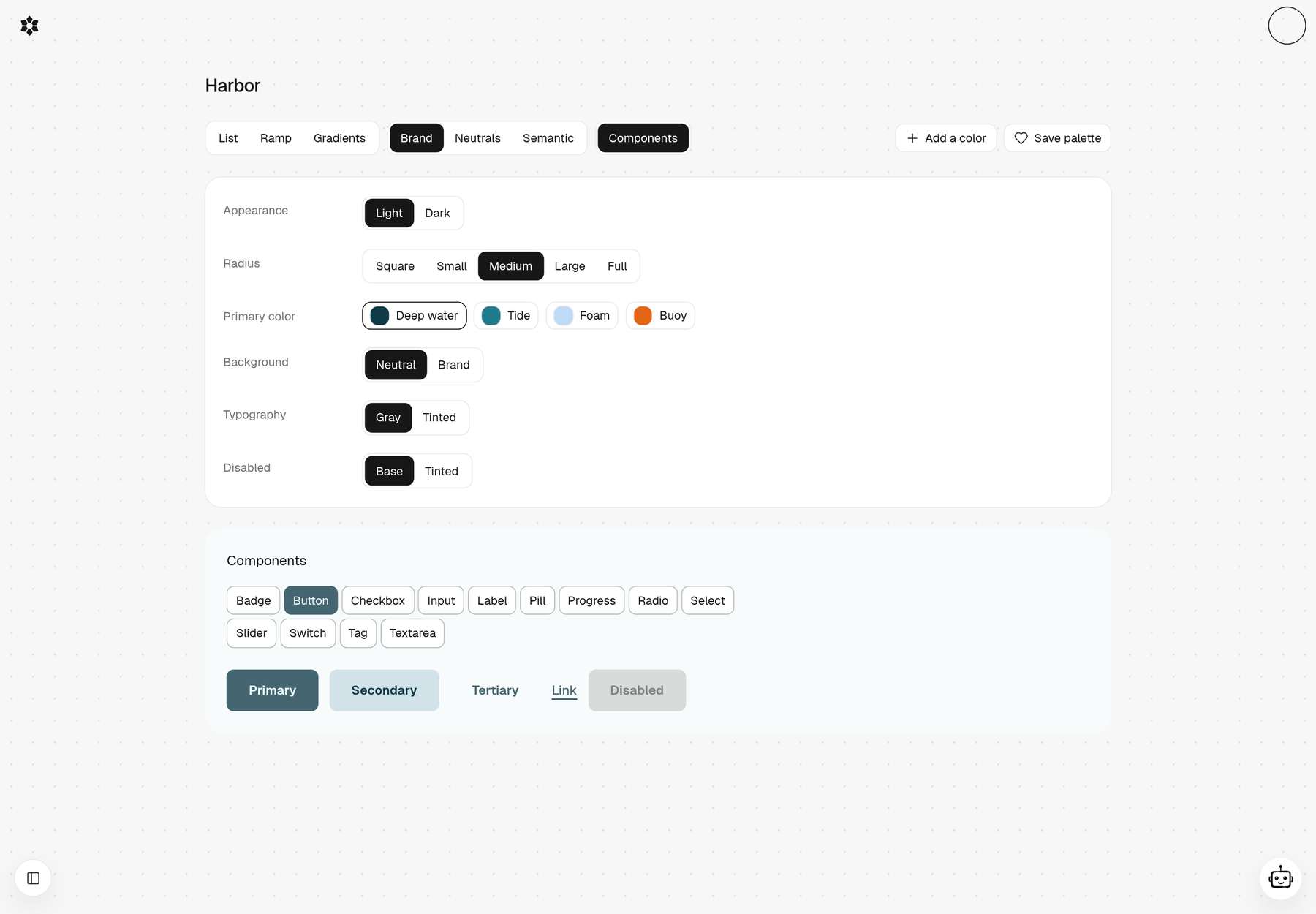
Colors on components
Light or dark, a radius, and a primary color from the palette, tried on buttons and inputs
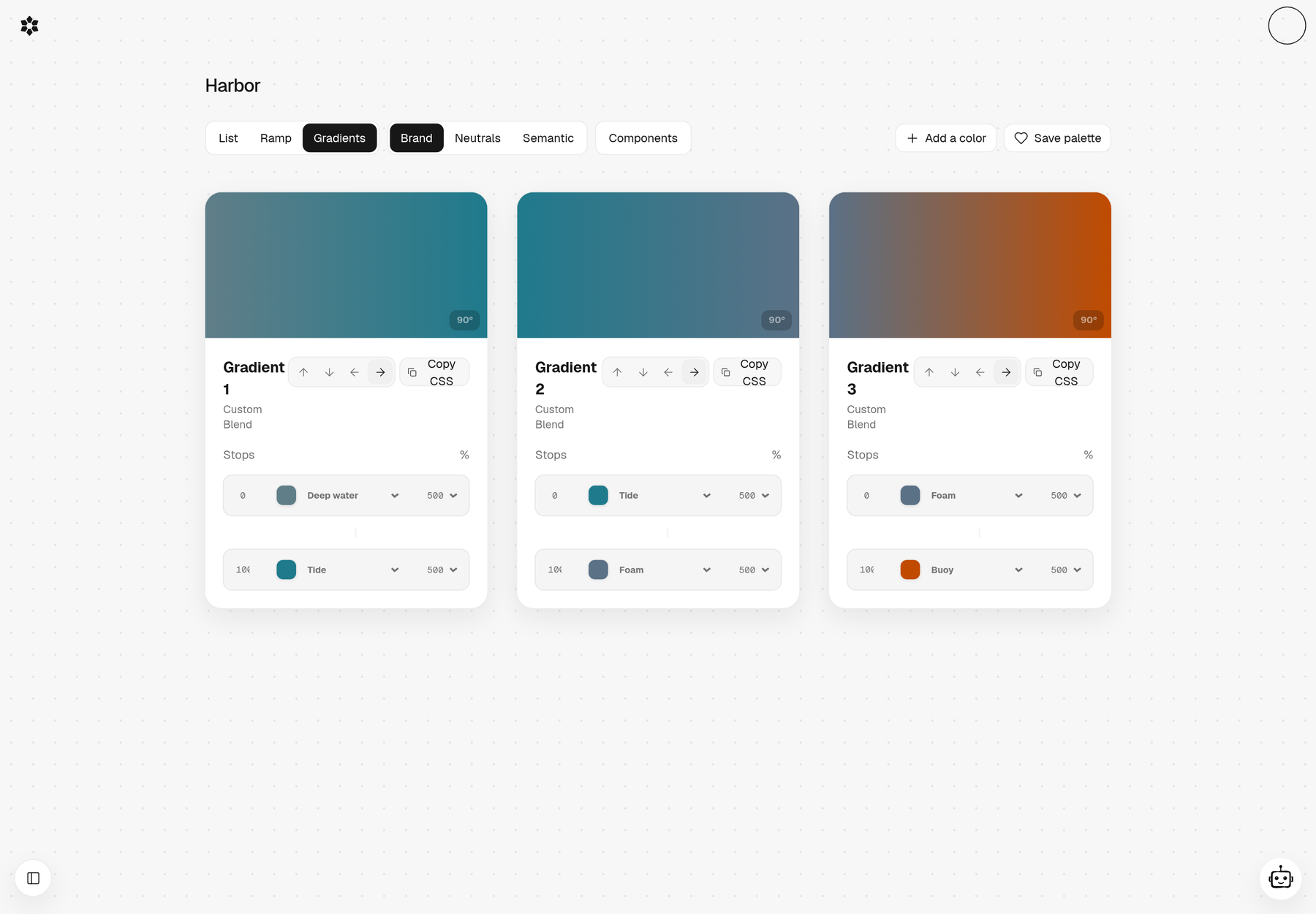
Gradients, with CSS
Stops taken from the palette. Each gradient can copy its CSS.